
Rules
Part of Free first: four columns for quiet keyboard buying
Quiet keyboard costs: what privacy rules add at a home desk
Quiet keyboard costs under privacy rules: a second board, a switch, compliant storage, disposal and your own time, plus how to keep the extra board quiet.
Privacy rules rarely arrive as a bill. They arrive as a constraint that turns one purchase into two, or that makes a cheap keyboard unusable.
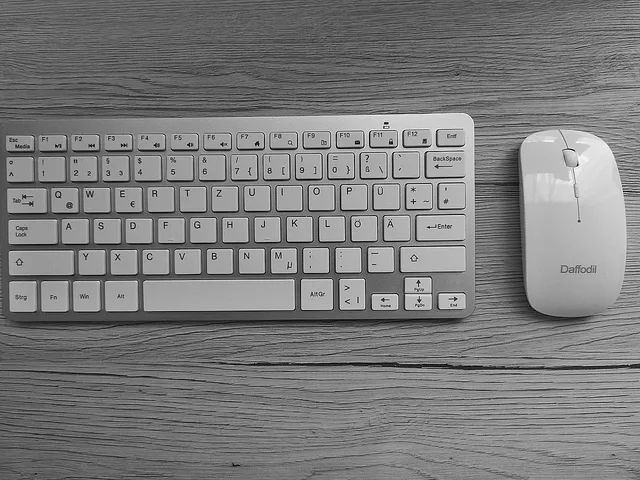
At a single desk, privacy rules add hidden cost to a quiet keyboard setup across five line items: a second keyboard, a switch or KVM, compliant storage, secure disposal and your own time. Most of it hides in the duplication, not in the keyboard itself.
What to take away
- The total hidden cost typically runs from about $45 to $700. Duplication is the main cost. A second keyboard runs from about $15 for a wired Logitech K120 to about $100 for a Logitech MX Keys Mini. The range is US-only; in Canada the same line items apply, but taxes, shipping and disposal rules can shift the total.
- Switching hardware often costs more than the keyboard. A two-port USB sharing switch from UGREEN or IOGear runs about $30 to $60, and a KVM with video adds $80 to $150.
- Policies aimed at organizations still land on the individual, because the equipment sits in your house.
- Compliant storage is the largest single purchase, typically $110 to $250.
- Disposal is the cost nobody plans for. Retail shredding runs about $1 to $1.30 per pound.
- Time is the largest hidden costtwo to four hours of setup, or $60 to $200 at a $30 hourly rate.
Where the money actually goes: five line items and what they cost
Where the money actually goes
| Line item | Typical range |
|---|---|
| Second keyboard | $15 to $100 |
| USB switch or KVM | $30 to $150 |
| Compliant drive or storage | $110 to $250 |
| Secure disposal | $1 to $1.30 per pound |
| Setup and reset time | $60 to $200 |
Why the duplication happens
Employer security guidance treats personally owned equipment as its own category, not an exception. That generates the duplicate purchase. A second keyboard and a second machine cost less than the argument over which rules apply to the first one.
The NIST user guide for teleworkers, SP 800-114 Revision 1, is written for the person at the desk rather than the security team. It covers the devices people actually use for work: desktops, laptops, phones and tablets.
Above that guidance sits the law. Privacy statutes cover the personal data your employer holds about you — the California Consumer Privacy Act, as amended by the CPRA, for California residents, and the EU's General Data Protection Regulation for staff in Europe — while the NIST documents cover the devices. Neither one pays for a second keyboard.
Its framing matters for a budget. If a device is used for work, somebody has to decide which rules apply to it. The cheapest resolution is often a second cheap device rather than a policy fight.
Typical one-time home office stipends run $250 to $500. Monthly internet stipends run $25 to $50. Some employers offer nothing, and the rule surfaces only when you ask.
Keeping the second keyboard quiet
A privacy rule can force a second keyboard onto the desk, and a second keyboard is a second source of noise. If the first board is quiet and the second one clicks, the setup gets louder the moment the work day starts.
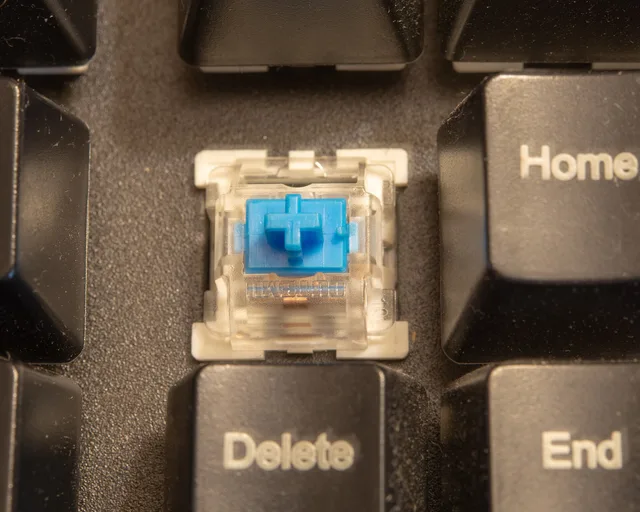
Switch type decides most of it. Clicky switches add an audible click jacket on top of the keystroke, while linear and tactile switches do not, and silent linears such as Cherry MX Silent Red are quieter again. Dampening does the rest: rubber O-rings under the keycaps soften the bottom-out, and foam or silicone inside the case absorbs the ping that a hollow case amplifies.
That is why the cheapest compliant board is not always the cheapest desk. A membrane office keyboard like the K120 is usually quiet enough on its own, but if you type on a clicky board for personal work, the second board has to be the quiet one — and that spend belongs in the same budget as the switch and the drive.
The organizational side, briefly
The enterprise version of the same problem is documented too. NIST's practice guide on mobile device security for bring your own device exists because personally owned equipment at work is a standing problem, not an edge case.
You do need to know a policy sits behind the rule your employer quotes, and that policy usually bends toward the employer supplying the hardware.
Managing those devices is not free either. Jamf Now lists at about $4 per device per month, and Microsoft Intune standalone at about $8 per user per month. For how far those rules reach, see how building rules can affect quiet desk setups.
Costs you can avoid
Costs you can avoid
- Avoid subscription-dependent peripherals
- Avoid devices you cannot export or reset
- Avoid buying hardware before asking employer
- Avoid paying for monitoring you did not choose
- Avoid subscription-dependent peripherals. If a keyboard needs an account to remap a key, that account is a recurring privacy and cost decision. Keychron boards remap onboard instead.
- Avoid devices whose configuration cannot be exported or reset. Handover and disposal both get expensive. Technician rates typically run $50 to $100 an hour when you cannot do it yourself.
- Avoid buying separate hardware before asking. Employers frequently supply it and rarely advertise the fact.
- Avoid paying for monitoring you did not choose. If a workplace tool must run on your machine, that is a reason to ask for a work machine.
What to ask before you spend
Ask who owns the device, who supports it, who wipes it, and what happens when you leave. Those four answers usually decide whether the cost lands on you at all.
A typical one-time stipend covers a keyboard, a switch and a drive. The rest of the budget structure sits in Budgeting for a quiet keyboard without fuzzy numbers, and the ordinary purchase mistakes are collected in Quiet mechanical keyboards: mistakes that lead to extra costs.