Guides
Part of Which silent switch type makes sense for which typist, in plain terms
Silent keyboard switches planning: hot-swap and a spares box
Silent keyboard switches planning starts with the board, not the switch: hot-swap sockets make a wrong pick cheap to undo, and spares keep it running.
Silent keyboard switches planning is really board planning: a switch decision is easy to reverse if the board was chosen with reversal in mind and expensive to reverse if it was not. That is the whole planning problem, and it is decided before you pick a switch at all.
What to take away
- Buy the socket, not the switch. A hot-swap board turns a wrong choice into a small purchase.
- Assume you will type in more than one position, because you already do.
- Keep spares of the parts that actually fail, which are stabilizers and keycaps.
- Assume your preference will change once, usually toward lighter and longer.
Decisions that lock you in
- Soldered switches. The board is now permanent, whatever you think of the feel in a year.
- Non-standard key sizes, which cut you off from replacement caps.
- Stabilizers that cannot be removed without desoldering.
- A layout so unusual that your muscle memory does not transfer to any other board.
None of these are wrong choices. They are choices that need to be right the first time, which is a different thing.
Lock-in risks to avoid
- Soldered switches make the board permanent
- Non-standard key sizes block replacement caps
- Stabilizers need desoldering to remove
- Unusual layout breaks muscle memory transfer
Plan for more than one posture
A study of eighteen touch-typists compared three usage positions, desk, lap and bed, across three virtual keyboard layouts in sixty-minute typing sessions with continuous posture measurement. Its premise was that people now do computer work outside traditional office settings.
The specific results are about tablets, and the framing applies to anyone: a setup planned for one chair and one position covers a fraction of the typing you do. A board that is portable, or a second cheap board for the other place, is often the more realistic answer.
Keep a small spares box
- Two or three spare switches from the same batch.
- A spare set of stabilizer parts.
- The keycaps for the keys you wear through first.
- The tool that opens the case, taped inside the box.
This costs very little at the time of purchase and is close to impossible to assemble three years later, when the batch has been discontinued and the replacement is subtly different. The spares box is also what makes a repair a ten-minute job instead of a weekend of ordering, which decides whether the repair happens at all.
What to put on the shortlist
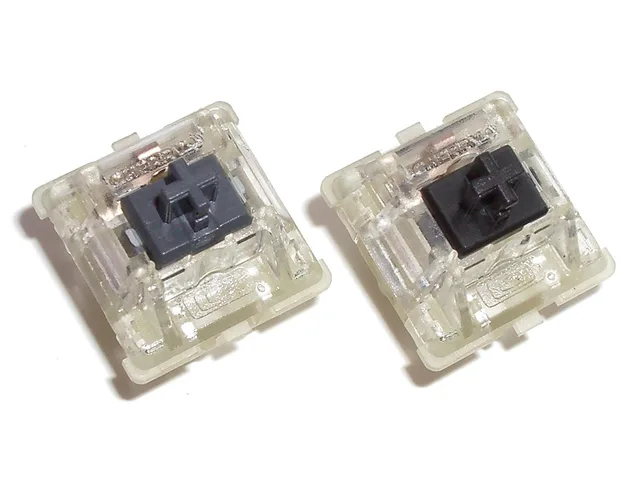
Swapping only works when the board and the switch agree on pins. Kailh and Gateron make the hot-swap sockets you will meet on most boards. A 5-pin switch has the two metal contact pins, a center post, and two extra plastic legs for stability; a 5-pin socket takes both types, while a 3-pin socket needs those legs clipped first.
Silent switches come in linear and tactile families, and the name usually tells you which. Linear: Gateron Silent Red, Cherry MX Silent Red, Kailh Box Silent Pink. Tactile: Boba U4, Zeal Zilent, Kailh Box Silent Brown. Buy one set from the family that matches the feel you already like, and a sample of one or two from the other.
What makes a silent switch silent is the dampening, not the housing color. Silent stems carry rubber or silicone pads at the top and bottom of the slider, so the return is as quiet as the press, and some housings add foam for a duller sound. O-rings under the keycaps only soften the bottom-out and shorten travel, and they do nothing about the noise the switch makes coming back up.
Durability is a spec-sheet question. Compare the rated actuation cycles and the warranty term for each model, and read the materials listed: POM stems and stainless or gold-plated springs are the usual markers of a switch that will not turn scratchy within a year.
Expect the advice to move
Prevention advice here is unsettled; planning as if it were settled is a mistake. A scoping review of therapeutic approaches for preventing upper limb repetitive strain injuries in computer work screened 577 studies and included 58, a field still mapping its own ground rather than issuing settled prescriptions.
Build a setup you can adjust, not one around a current recommendation.
A plan that survives
Choose a hot-swap board with a standard layout. Buy one set of switches you want and a small sample of one alternative. Keep the spares.
Re-check the choice after a month of real work, not after a week. If the answer changes, it costs a small parcel rather than a new board. Weight, travel and the silencing mechanism are the specification questions that decide the rest.